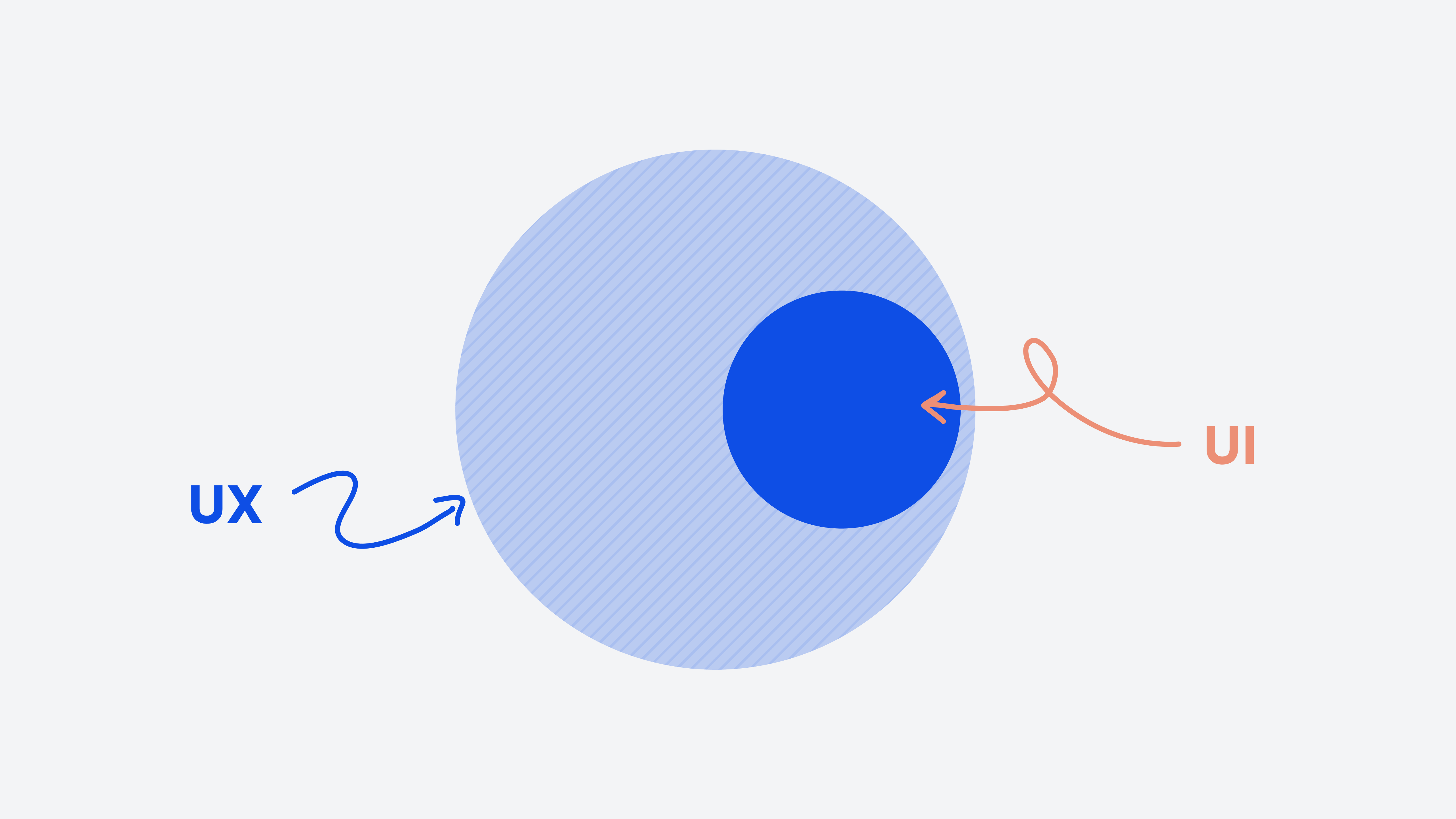
What is UI, what is UX?
There is no clear difference between UI and UX design, as UI is always a part of UX. Both cannot be viewed in isolation from each other or exist separately. That is why when comparing UI vs. UX, there is no either/or, but rather a harmonious interplay of the individual UI elements in product design. When developing a website, software, or app, both UI and UX must be considered.
However, the difference between UI and UX is easy to explain, even though both disciplines are closely linked:
User Experience Design looks at a user's entire experience with a product — from initial contact, such as when searching in the app store, to use, support and signing a contract. The aim is to make the user's journey as pleasant, efficient and smooth as possible. The focus is on overall experience and user guidance: What steps are necessary to solve a problem and how can they be optimally coordinated?
User interface design focuses on the visible and operable interface — i.e. the layout, typography, colors, icons, buttons and input fields. UI ensures that all elements are presented clearly, comprehensibly, and consistently so that users intuitively know what they can do and how to interact with the product.
A good example is a banking app: From a UX perspective, it's about the entire process — how a new customer registers, confirms their identity and makes a transfer. Here, the necessary steps are planned, the sequence is optimized and the user is given security. UI, on the other hand, takes care of designing the transfer form: How are the input fields arranged? Which font sizes and contrasts ensure good readability? How are errors such as an incorrectly entered IBAN clearly displayed? And how does the most important “Transfer” button stand out from the less important “Cancel” button?
In short: UX shapes the path that the user takes, UI ensures that this path is visually appealing, understandable and user-friendly. Only the combination of both disciplines creates a positive user experience that satisfies users and contributes to successful use.
Where UI and UX are often confused
Typical questions arise in board meetings: “Do we still need UX now? We already have a new design.” Three common mistakes in consulting practice:
Misconception 1: “UX is just another word for design”
UX starts with product strategy, functional scope and prioritization. Before a single pixel is designed, UX work clarifies: What tasks must users be able to complete? Which features are really important, which are nice-to-have?
example: A customer portal with a nice UI, but 47 menu items in the navigation. The interface looks modern. But users can't find their core tasks (view invoices, change contracts) because they get lost in the crowd. The problem is not the appearance, but the lack of UX preparation.
Misconception 2: “You can quickly pull over UI at the end”
If UI only comes after development, expensive rework is required. Suddenly it turns out that the technical implementation does not allow any states (active/inactive). Error messages are hardcoded and cannot be adjusted. The spacing between elements does not match the grid.
example: A self-service area in an energy portal. The functions are there, but the design was “thought about” downstream. Result: Inconsistent buttons, unreadable forms on mobile, no clear visual hierarchy. The software works technically, but is barely usable. Content is not barrier-free, which makes user navigation difficult and violates standards such as WCAG 2.1. A repair costs many times more than the original implementation.
Misconception 3: “More features automatically mean better user experience”
It's a common mistake to think that the more features a product offers, the better. In fact, too many features can overwhelm users and make them difficult to use. Good UX often means focusing on the essentials and presenting functions clearly and concisely. Clear interactions help improve user experience and reduce complexity.
example: An app with countless settings that many users don't even understand or need. Instead, clear prioritization and simplification leads to greater satisfaction and better user engagement.
Why UI and UX are essential for business success
For companies, UI and UX are not just design terms, but decisive factors that directly influence business success. They have a measurable effect on key figures, such as Conversion rate when ordering or registering, activating new users or even reducing errors and support requests.
How a well-thought-out user interface makes the difference
A well-designed user interface ensures that customers can easily find their way around and achieve their goals quickly. That means less frustration and more satisfaction. For example, if users only complete the really necessary steps in the onboarding process and receive clear, understandable information, the likelihood that they will gladly and successfully use the offer increases.
Why the design of the interface counts
The visual design of the user interface is more than just pretty to look at. It creates orientation and trust. When buttons are clearly visible, colors send clear signals and error messages are displayed in an understandable way, users feel safe and well supported. This not only promotes use, but also commitment to the product.
Specific figures speak for themselves
Studies from various industries impressively show how strongly UI and UX influence business success. This is what an investigation of Baymard Institutethat, on average, around 70% of online shopping carts are abandoned — often due to poor user navigation or confusing user interfaces. Through targeted optimizations in the checkout process, such as simplifying form fields and clear visual information, companies were able to increase their sales transactions by up to 35%. In addition, findings from Nielsen Norman Group , that the number of support requests is reduced by up to 50% through intuitive user interface design and regular usability tests. These effects are no coincidence, but the result of careful analysis, planning and implementation of UI and UX measures that specifically address the needs of users and thus create an optimal user experience.
Working together to achieve success
UI and UX go together, they're two sides of the same coin. Only when both disciplines work hand in hand can a product be created that inspires users and drives companies forward. It is therefore worthwhile to focus on a close integration of user management and design at an early stage — for sustainable success and satisfied customers.
How UI and UX work hand in hand in projects
In practice, UI and UX are not lone wolves. They always intertwine and complement each other perfectly. Here we show what this looks like in real projects and what you should consider when doing so.
Onboarding process in HR software for SMEs
New users often get on uncertainly and jump off quickly. UX helps here by checking exactly which steps are really necessary. Does the profile really have to be filled out completely or is the most important enough for now? A guided assistant guides users through the initial tasks. Especially during onboarding, user interactions are therefore analysed in order to identify barriers and adapt the design specifically to their needs. In important places, there are small explanations as to why certain data is needed.
UI ensures that the steps are clearly visible, for example with a progress bar of 1 to 3. The buttons are large and easy to find, the texts are simple and understandable. And of course, everything also works on smartphones, because many start there.
Checkout in the online shop or when booking tickets
Checkout is often a stumbling block. UX makes it easy, for example by offering a guest checkout so that no one has to register first. The mandatory fields are reduced to the bare essentials. Shipping and payment options are sorted in such a way that they are logical for users, not according to internal processes.
UI makes for large buttons that are easy to click on the website and in the app. The prices are clearly presented, with no hidden costs. Subtotals, shipping costs and total price are clearly separated. Errors are displayed directly on the respective field so that users immediately know what they need to correct.
Dashboard for controlling or IoT monitoring
The focus here is on the question: Which key figures are really important? UX decides which data is shown on the start page and how detailed users can go into detail. It's not about showing all available data, but about answering users' questions.
UI selects appropriate visualizations: tables for exact figures, charts for trends. The color scheme supports the interpretation, such as green for everything okay, yellow for attention and red for critical. It is also important that the dashboard is just as easy to read on large monitors as on small laptop screens.
What you can take away from these examples
UI and UX are a team. UX ensures the right process and that the focus is on user needs. UI makes the whole thing visible and operable. If you only look at the design, you miss the chance to solve real user problems. If you only pay attention to user guidance but neglect the interface, you lose users due to poor usability.
Plan UX early on and work closely with the UI team. Use prototypes and tests with real users to see if everything is running smoothly. The result is products that not only look good, but are also fun and work.
Our tip for your next project
Determine what goals your users have right from the start. Gather feedback directly from practice. Avoid unnecessary steps and complicated surfaces. Remember: It's not about making everything possible, but about providing the right thing for your users in a simple and clear way.
This is how you create user experiences that inspire and make your products successful.
What decision makers should do now
Designing an outstanding user experience requires a deep understanding of user needs and close integration with business processes. Building an internal team for UX and UI can be challenging — particularly when it comes to resources, know-how, and time. External service providers can offer valuable support here in order to provide the right impetus quickly and flexibly.
Think about UX right from the start
UX should be an integral part of the product vision — not just in the implementation phase. Before a relaunch, it is important to clearly define which user problems should be solved and where the user flow can be optimized. Existing data such as support requests, abandonment rates or user interviews help to obtain a well-founded picture.
Sitting at a table together
Business areas, IT and UI/UX teams should work closely together to precisely understand the needs of users. It is crucial to find out which tasks a new customer really wants to complete in the first five minutes. Conversations with real users are more valuable than guesses or assumptions.
Create clear responsibilities
It is important to name a person who represents the user perspective in the steering committee. Clear decision-making structures are also necessary, for example when it comes to balancing corporate design and usability. In addition, it should be determined who is responsible for budget and authority for usability tests before development.
Use practical tools
User flows for central processes such as onboarding, checkout or service cases help to analyze and improve processes. Clickable prototypes make it possible to test with real users before development. A design system or UI kit ensures a consistent visual language across all channels — whether it's a website, app or internal tools.
The next steps in the quarter
- Identify the flow with the highest abort rates
- Conduct or commission five user interviews
- Check whether a design system exists and is being maintained
- In the next project meeting, ask the question: “What should the user be able to do effortlessly? ”
conclusion
UX ensures that users reach their destination safely and satisfactorily. UI makes the product really smooth so that they can find their way around and trust the interface. They both belong together.
Just investing in UI without a well-thought-out UX concept rarely brings the desired results. No matter how chic a product may look — if the path to the goal isn't clear, users jump off. Conversely, hardly anyone notices a good UX if the interface is confusing, inconsistent or careless.
When you start the next project, it's worth thinking carefully: What questions about user guidance are still unanswered? What design and readability decisions must be made? The question “What should it look like? “Only comes when it is clear what the user should achieve effortlessly.

geschrieben von
Book your free discovery call
Let's do something great together.